Leer en español · Back to insights
AI Loops for Business: What They Are and How to Design One
By Adriana Ibañez | CASATI
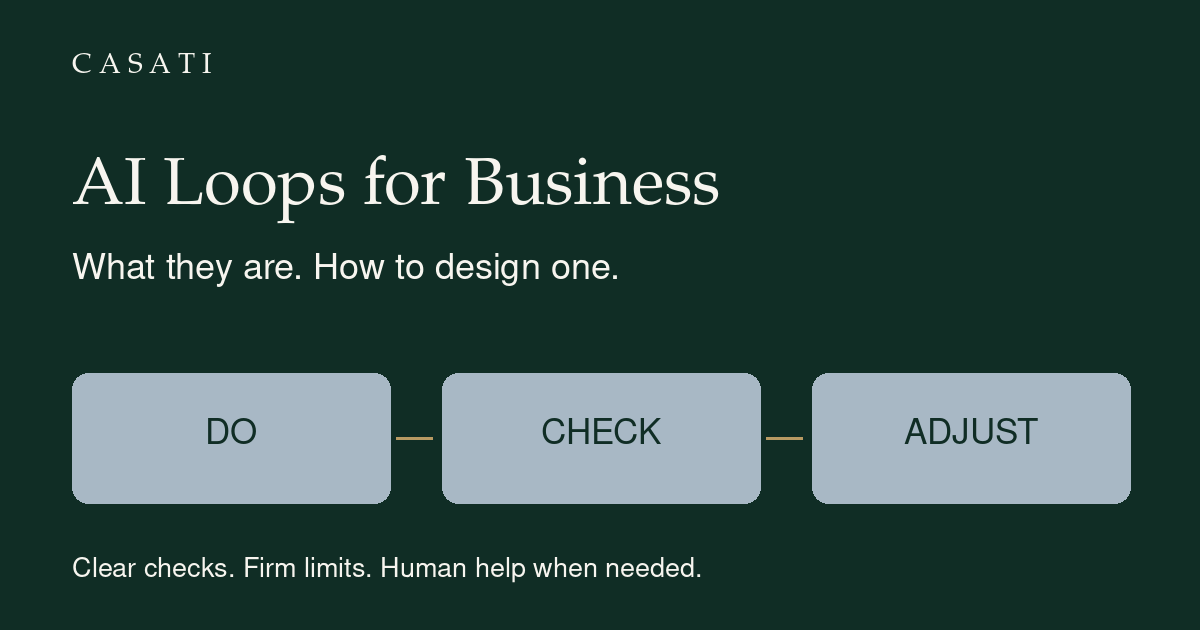
An AI loop is a repeated cycle in which an AI system takes an action, receives feedback and uses that feedback to decide its next step. In a business workflow, that next step might be correcting a draft, checking a calculation, finishing the task or asking a person for help.
A loop is not a promise that AI can work indefinitely without supervision. It is a way to organize work, feedback and decisions within explicit boundaries.
For a business owner, the useful question is not just “Can AI do this?” It is: “How will we know it did it correctly, and what happens if it did not?”
Why are people talking about AI loops?
The discussion has gained visibility through practitioners working with coding agents. In his Loop Engineering essay, Addy Osmani connects the idea to statements by Boris Cherny and Peter Steinberger about designing systems that prompt agents rather than manually directing every turn.
That coding context matters. Tests can give software agents concrete feedback. In a business task, an equivalent check might be a calculation, an approved policy or a human review. The business application is an adaptation of the idea, not evidence that every task can be delegated safely.
A prompt versus an AI feedback loop
A prompt gives instructions. A loop determines what happens after an action or answer. They work together; loops do not eliminate the need for clear instructions.
| A one-off request | A designed feedback loop |
|---|---|
| Ask for a sales report. | Define the report, inputs and checks. |
| Read the draft yourself. | Check specific criteria using approved sources or rules. |
| Write another prompt when something is wrong. | Use the failed checks to guide an allowed revision. |
| Decide informally when to stop. | Define success, limits and human intervention in advance. |
This is a practical comparison, not a claim that every agent architecture contains a separate quality reviewer. Anthropic's agent guidance describes several patterns, including evaluator-optimizer workflows, and recommends adding complexity only when it is useful.
Six decisions to make before building a loop
1. Define the outcome and the starting point
“Improve operations” is too broad for a first test. Choose a task with a visible deliverable, such as a weekly report draft or a list of projects missing due dates.
Specify when it begins: your request, a scheduled time or a defined event. A schedule is optional. It does not, by itself, create a feedback loop.
2. Identify the authorized information and tools
Name the files, systems and date range. Define ambiguous business terms. “Sales” might mean orders placed, invoices issued or money collected; those are different calculations.
List tools the system can actually access. If a connection is unavailable, provide an approved copy or pause. Do not treat a written instruction as permission to access every company system.
3. Write checks that can fail
“Make it professional” is not enough to verify a report. Better checks include:
- The reporting dates match the requested period.
- Totals reconcile with an approved calculation.
- Required sections are present.
- Claims are traceable to the input data.
Decide how each check will be performed. An AI reviewer can help with clarity or completeness, but agreement between models is not proof that a number is correct. Anthropic's evaluation guide explains the role of defined tasks and grading logic in testing agents.
4. Separate drafting permission from action permission
A system may be allowed to draft an email without being allowed to send it. It may read a CRM without being allowed to change a customer's record.
For a first experiment, keep original data read-only and require approval before external messages or consequential changes. Permissions should be enforced by the connected tools, not merely requested in a prompt.
5. Define limits and the human handoff
Set a maximum number of total attempts, plus time and spending limits where the system supports them. Three total attempts means the initial attempt and at most two retries.
Name the conditions that require a person: missing information, contradictory sources, unavailable tools, an approval requirement or repeated failed checks. Name the person responsible too.
OpenAI's practical guide includes exit conditions and human intervention, particularly when failure thresholds are exceeded or actions are sensitive.
6. Keep a short record
Record what was attempted, which checks failed, what changed and why the task stopped. Without that history, it is difficult to distinguish a successful improvement from the same mistake repeated several times.
Example: a weekly sales-report loop
Consider a small business preparing an internal report. This is an illustrative design, not a client case or a measured result.
- Start: the owner uploads an approved CSV for one week.
- Input: one row per order and one product per order, with order ID, product, date, status, currency and net sales. The owner defines net sales.
- Draft: create a one-page report with completed-order count, net sales and the top three products ranked by net sales.
- Check: verify dates, required columns and currency; compare totals and counts with a spreadsheet calculation.
- Revise: correct a calculation or presentation error using the same authorized data. Do not invent missing figures or silently remove duplicate orders.
- Stop or ask: deliver after the checks pass; otherwise pause after three total attempts, or immediately if source data is missing, ambiguous or contradictory.
The owner reviews the final draft before distribution. If the file contains several products per order, the input rules and counting logic must be redesigned first.
When a loop is not the best starting point
Use a simpler approach when one clear request already works, a spreadsheet formula solves the problem or there is no meaningful way to check the output. Repeating a task is not automatically an improvement.
For customer commitments, payments or sensitive records, start with assistance and human approval rather than unrestricted action. The relevant choice is how much control the task needs, not how impressive the automation looks.
Frequently asked questions
Do I need multiple AI agents?
Not necessarily. Start with one task and explicit checks. A separate reviewer may help, but it adds coordination and cost. It should solve a demonstrated problem.
Can I design a loop without coding?
Yes. You can define the task, inputs, checks and boundaries without code. Running it automatically still requires a tool or workflow that supports the necessary access, iteration and approvals.
Is a recurring automation the same as a loop?
A recurring automation starts work repeatedly. A feedback loop uses the result of an action to decide what happens next. A workflow can include both.
Does an AI loop guarantee an accurate result?
No. Checks can be incomplete and source data can be wrong. Test normal inputs, missing information and deliberately incorrect results before expanding the system's permissions.
What should I put in an AI loop template?
Include the objective, starting point, authorized inputs, deliverable, checks, tools, permissions, limits, human handoff and activity record.
Start with the workflow, not the autonomy
The Casati perspective is simple: identify the business need before choosing the tool. A useful AI loop makes responsibilities, checks and exceptions visible. It does not remove the need for business judgment.
Download the English and Spanish AI Loop Planner to define your first task before implementing it. The planner is a design aid, not a running automation.
Sources
- Addy Osmani: Loop Engineering
- Anthropic: Building effective agents
- Anthropic: Demystifying evals for AI agents
- OpenAI: A practical guide to building agents
Sources checked October 10, 2026. Examples and business recommendations are CASATI's editorial adaptation; no customer outcomes are claimed.